The internet has made shopping, banking, booking services, and finding information easier than ever. But with this convenience comes a growing problem: fake and suspicious websites.
A website can look professional and still be designed to trick visitors. Some fake websites copy the appearance of well-known brands, offer products at unusually low prices, or use misleading information to make people feel comfortable enough to share their personal or payment details.
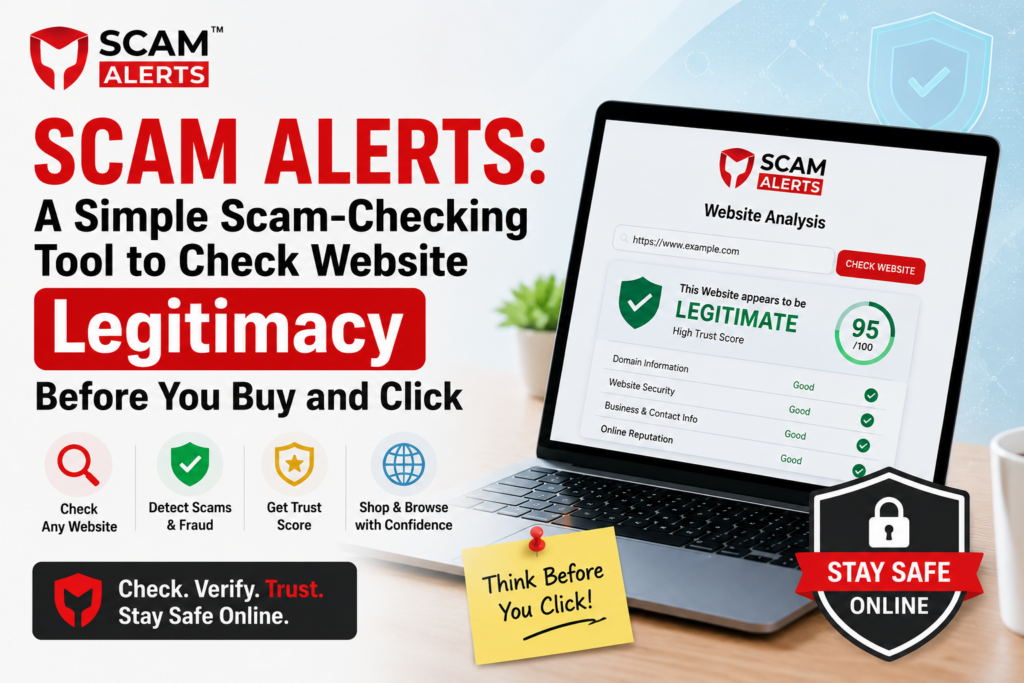
This is where Scam Alerts can be useful. It is a simple scam-checking tool designed to help users check a website before they decide to trust it, buy something, or provide sensitive information.
Why Checking a Website Matters
Many people judge a website by its appearance. If a site has a modern design, product photos, customer reviews, and a secure-looking checkout page, it may seem legitimate.
Unfortunately, these things alone do not prove that a website is trustworthy.
Scammers can create convincing websites in a short amount of time. They may use copied logos, fake reviews, stolen images, or misleading claims to make a site appear genuine.
A quick website check can help you pause before taking a risky action.
What Is Scam Alerts?
Scam Alerts is a website scam checker that helps users investigate the legitimacy of websites.
Instead of relying only on how a website looks, users can use a scam checker as an additional layer of protection when they come across an unfamiliar domain.
This can be particularly useful when:
- You discover a new online store.
- A website is offering a product at an unusually low price.
- You receive a link from an unknown source.
- You are unsure whether an online service is genuine.
- A website asks for personal or payment information.
- You want to investigate a domain before making a purchase.
The goal is simple: help users make more informed decisions before trusting an unfamiliar website.
How to Check a Website Before You Buy
Before entering your card details or placing an order, take a moment to investigate the website.
1. Check the Website With Scam Alerts
Start by checking the website using Scam Alerts. A scam-checking tool can provide useful information that may help you decide whether further investigation is necessary.
However, remember that no automated checker should be treated as the only source of truth. Use the result as one part of your overall website-safety check.
2. Look at the Website Address
Pay close attention to the domain name.
Scammers sometimes create addresses that look similar to legitimate businesses but contain small spelling changes, extra words, or unusual extensions.
For example, a fake website might use a domain that looks almost identical to a popular brand’s official address.
Don’t assume that a familiar-looking name means the website is genuine.
3. Be Careful With Extremely Low Prices
An attractive deal can be difficult to ignore.
But if a website is selling an expensive product for a fraction of its normal price, take a step back. An unusually cheap offer can be a warning sign, especially when combined with other suspicious details.
Compare the price with established retailers and investigate the seller before purchasing.
4. Check Contact and Company Information
A trustworthy business should generally provide ways for customers to contact it.
Look for information such as:
- A business name
- Contact details
- Customer support information
- Physical address, where appropriate
- Return and refund policies
- Terms and conditions
Be cautious if important information is missing, copied from another website, or difficult to verify.
5. Read Reviews Carefully
Reviews can provide useful clues, but don’t trust them blindly.
Fake websites may display reviews that are copied, repetitive, or overly positive. Search for independent discussions about the website or company rather than relying only on testimonials published on the site itself.
A lack of independent information can also be a reason to investigate further.
6. Don’t Ignore Security Warnings
Your browser may warn you if it detects certain security problems with a website.
Never ignore a clear browser security warning simply because you want to complete a purchase. Leave the website and investigate it before continuing.
Also remember that HTTPS alone does not prove that a website is legitimate. A scam website can also use HTTPS.
7. Think Before Sharing Personal Information
A suspicious website may ask for more information than is necessary.
Be especially careful when a site requests sensitive details such as payment information, passwords, identity documents, or other personal data.
Only provide information when you are confident that you are dealing with the correct website and understand why the information is required.
Common Signs of a Suspicious Website
There is rarely one single feature that proves a website is a scam. Instead, several warning signs together can indicate that you should be cautious.
Some common red flags include:
- Prices that seem too good to be true
- Poor spelling or unusual wording throughout the site
- Recently created or suspicious-looking domains
- Missing company information
- Unclear refund or shipping policies
- Pressure to make a purchase immediately
- Suspicious payment methods
- Broken pages or inconsistent branding
- Fake-looking reviews
- Links or messages that redirect you to unexpected websites
If you notice several of these signs, don’t rush into a purchase.
Why Use Scam Alerts Before Clicking or Buying?
The biggest advantage of using a scam-checking tool is that it encourages a pause-and-check habit.
Instead of immediately trusting a website because it looks professional, you can investigate it first.
This is especially important because online scams are not limited to shopping websites. Suspicious domains can also be used for fake jobs, investment schemes, phishing campaigns, subscription traps, giveaways, and other types of online fraud.
Using Scam Alerts as part of your normal browsing routine can help you approach unfamiliar websites more carefully.
Scam Checking Is One Part of Online Safety
A website checker can be helpful, but it should not replace common sense.
Think of website checking as one layer of protection. You should also:
- Keep your browser and devices updated.
- Use strong, unique passwords.
- Enable two-factor authentication where available.
- Avoid clicking unexpected links.
- Verify important websites through trusted sources.
- Monitor your bank and payment accounts for unusual activity.
- Be cautious when someone creates urgency or asks for secrecy.
The safest approach is to combine automated checks with your own investigation.
Frequently Asked Questions
Q1. Is Scam Alerts enough to determine whether a website is safe?
Scam Alerts can be a useful starting point for checking an unfamiliar website, but no single tool can guarantee that a website is completely safe. Consider the results alongside the domain, company information, reviews, policies, and other warning signs before making a decision.
Q2. Does HTTPS mean a website is legitimate?
No. HTTPS helps protect the connection between your browser and the website, but it does not prove that the website itself is trustworthy. Scam websites can also have HTTPS certificates, so you should consider other factors as well.
Q3. What should I do if I suspect a website is a scam?
Avoid making a purchase or sharing sensitive information until you have investigated the website. You can check the domain with Scam Alerts, look for independent information about the business, and review the site’s contact, refund, and payment details. If you have already provided payment information and believe you’ve been scammed, contact your payment provider promptly.
Final Thoughts
A professional-looking website isn’t necessarily a trustworthy one. Scammers can make fake websites look convincing, which is why checking before you buy or click is becoming increasingly important.
Scam Alerts provides a simple way to investigate unfamiliar websites and add an extra layer of awareness before making an online decision.
Whether you’re shopping at a new online store, following an unfamiliar link, or considering an online service, taking a few moments to check the website can be far better than discovering a problem after you’ve already shared your information or paid for something.
When in doubt, don’t rush. Check first with Scam Alerts, investigate the website, and make your decision with confidence.